The scientific session will be hosted live on October 30, 2026. The meeting room link will become accessible closer to the session start time. Please complete your registration to receive attendance updates and CME accreditation.
Join Live Meeting
Please enter your registered email address to access the scientific forum
Notice
Important Notice
Please register first before joining to the meeting to obtain your CME
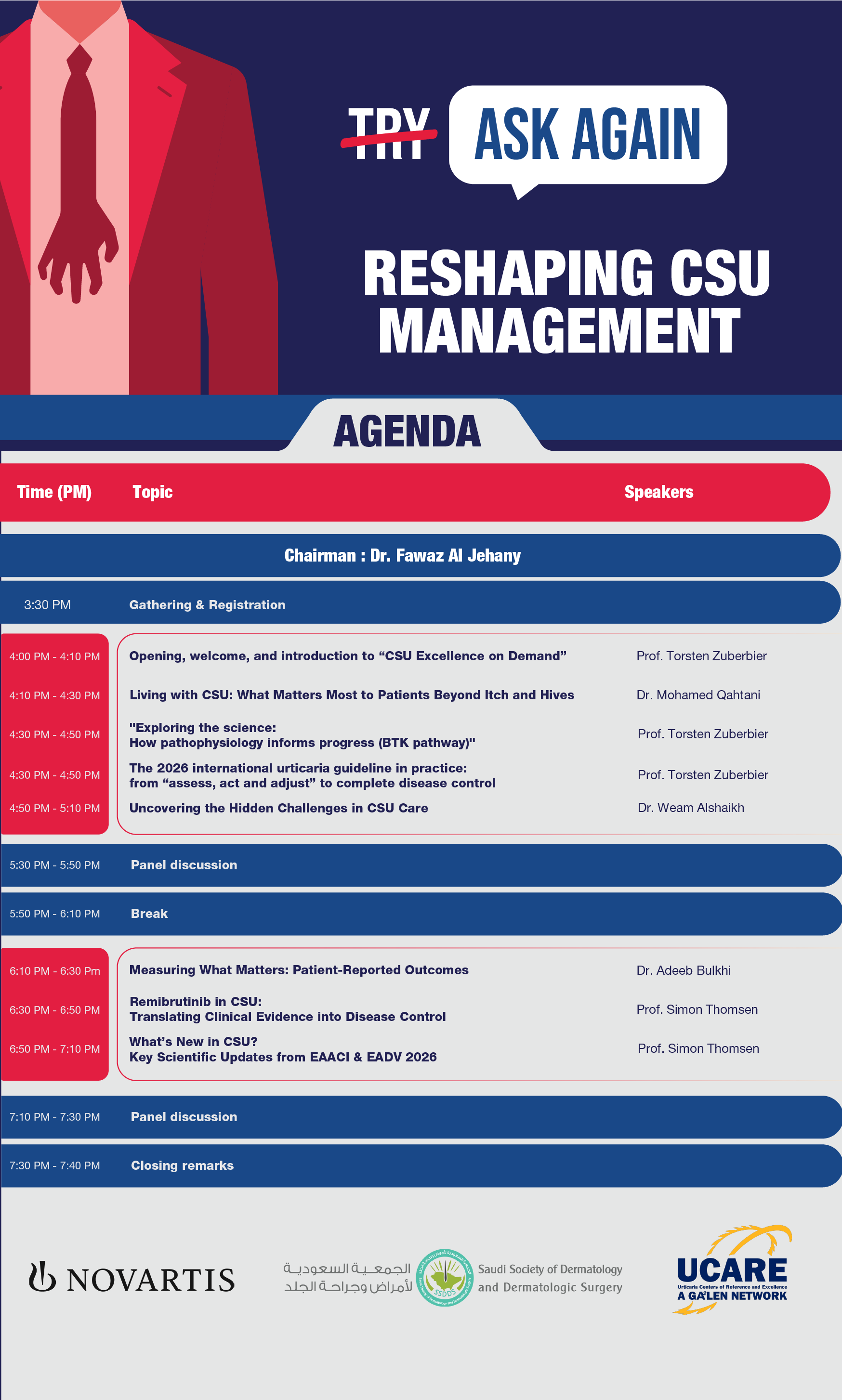
Event Agenda
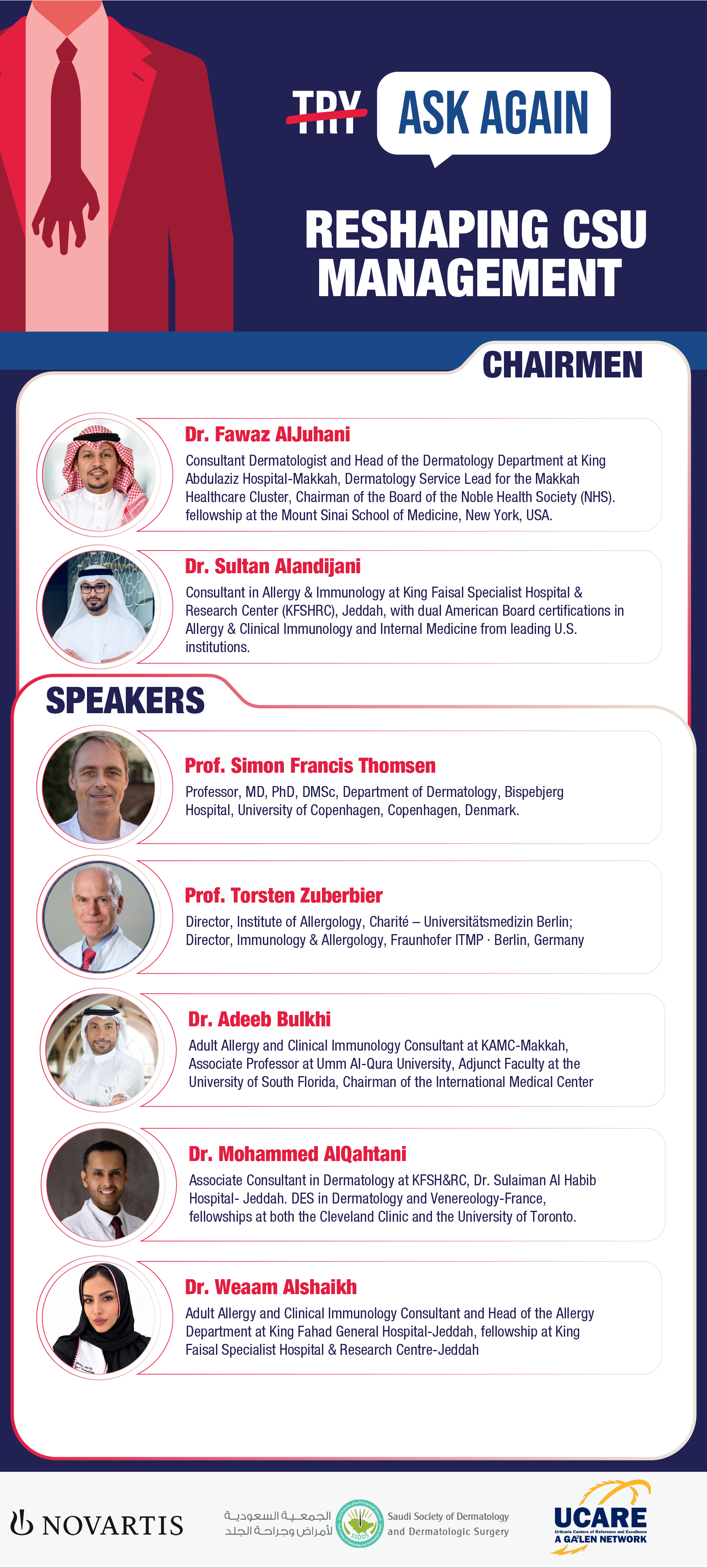
Chairpersons & Speakers
Admin Authentication
Enter the administrator passcode to customize attributes and manage server pictures.
Admin Dashboard Mode: Email Verification
Amend Page Attributes & Server Pictures
General Page Attributes
Customize titles, subtitles, branding, and text elements.
Meeting Link Configuration & Modes
Choose how the Meeting Link button behaves when attendees click on it.
⏳ Coming Soon (Active)
Shows amber glow & badge. When clicked, displays a beautiful Coming Soon notification with event details and a direct registration shortcut.
📧 Email Verification
Opens an email modal to check if attendee is registered in the database before redirecting to Zoom.
🔗 Direct Zoom Link
Bypasses verification and immediately opens the webinar link in a new browser tab.
👁 Hidden / Disabled
Hides the meeting link button completely from the home screen.
Countdown Timer Settings
Configure the live event countdown and target start time.
Enable Countdown Timer
Toggle countdown box visibility on the homepage
Server Pictures & Firebase Integration
Inspect the old picture directly on the Firebase server and replace it with a new high-resolution image.